
Receiving emails from REDed
We have received feedback from some parents with email addresses hosted by Hotmail, Outlook, Live and MSN that our emails are being blocked or are going to directly to ‘junk’ folders.
In order to avoid this happening and ensure you are receiving emails from us, we recommend that you follow the steps below to check your Mail Settings allow for our emails to be received.
Please follow the below steps to add the domain reded.com.au to your Safe senders list and to add the email address [email protected] to your Safe mailing lists.
If you have any questions please contact [email protected] and our staff members will be happy to help.
Instructions for adding reded.com.au to your safe senders list
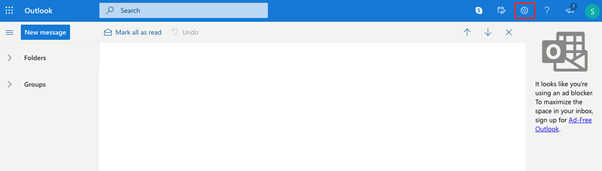
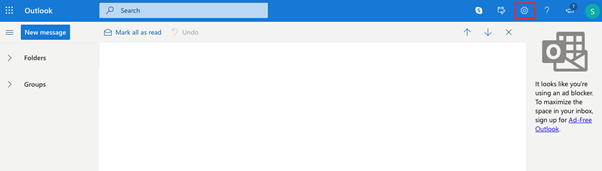
1. Click the settings gear icon at the top right of outlook.com once you are logged in.
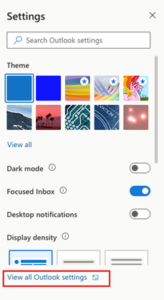
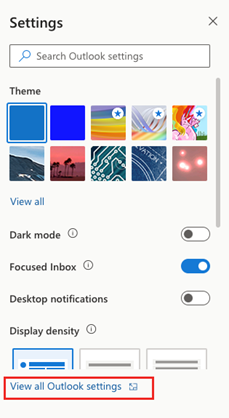
2. Click View all Outlook settings at the bottom of the pop-out menu.
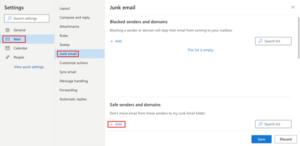
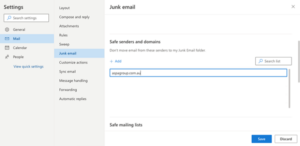
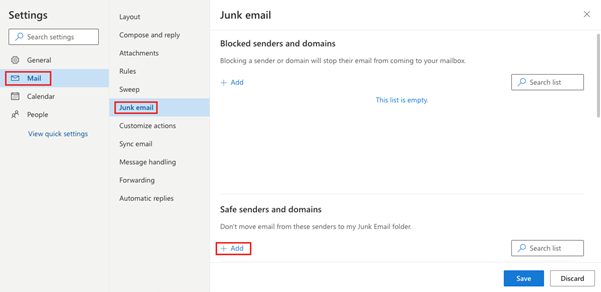
3. Go to Mail > Junk email and click + Add under Safe senders and domains.
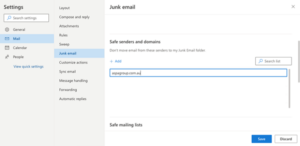
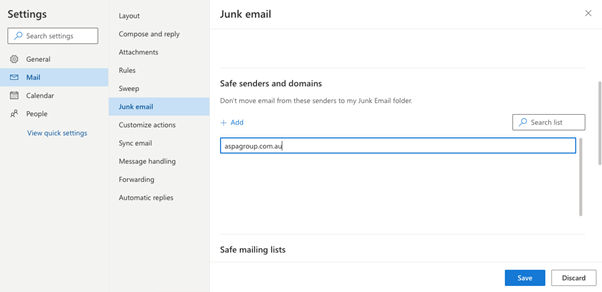
4. Type the domain reded.com.au into the text box and press Enter.
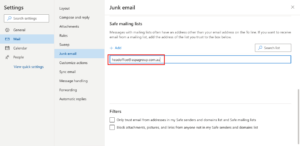
6. Type the email address admin@reded.com.au into the text box and press Enter.
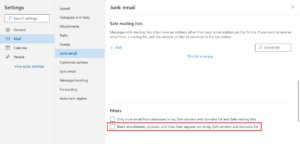
7. For extra assurance, under Filters you have can also unselect the option to ‘Block attachments, picture, and links from anyone not in my Safe senders and domains list’.
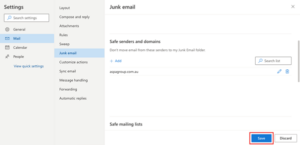
8. Click Save at the bottom of the page.
Questions
If you have any questions please contact [email protected] and our staff members will be happy to help.
Receiving emails from REDed
We have received feedback from some parents with email addresses hosted by Hotmail, Outlook, Live and MSN that our emails are being blocked or are going to directly to ‘junk’ folders.
In order to avoid this happening and ensure you are receiving emails from us, we recommend that you follow the steps below to check your Mail Settings allow for our emails to be received.
Please follow the below steps to add the domain reded.com.au to your Safe senders list and to add the email address [email protected] to your Safe mailing lists.
If you have any questions please contact [email protected] and our staff members will be happy to help.
Instructions for adding reded.com.au to your safe senders list
1. Click the settings gear icon at the top right of outlook.com once you are logged in.
- Click View all Outlook settings at the bottom of the pop-out menu.
- Go to Mail > Junk email and click + Add under Safe senders and domains.
- Type the domain reded.com.au into the text box and press Enter.
- Next, click + Add under Safe mailing lists.
- Type the email address [email protected] into the text box and press Enter.
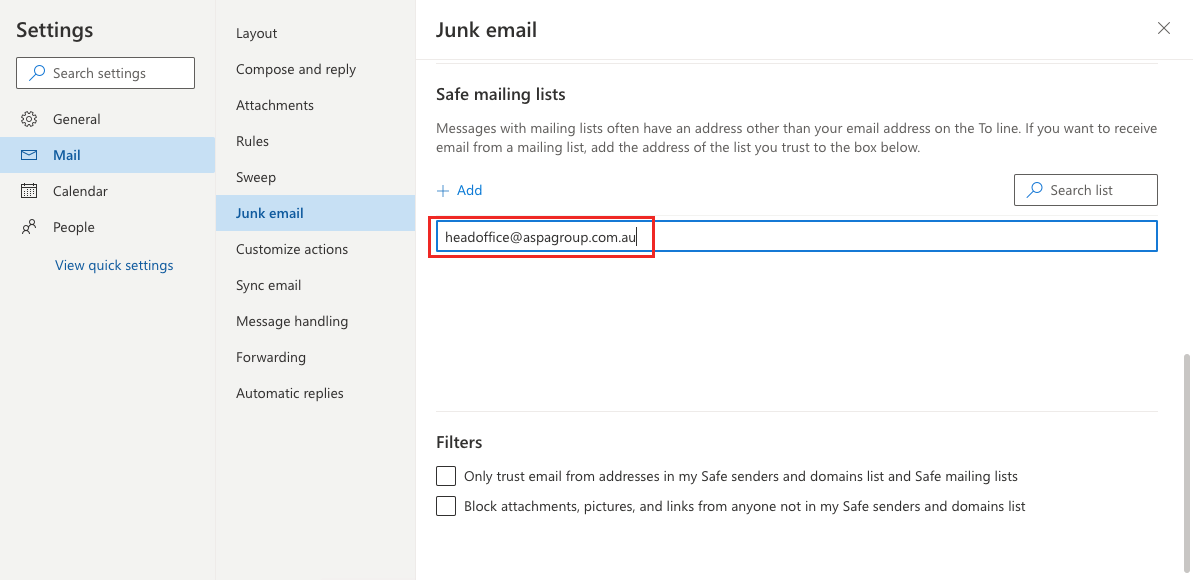
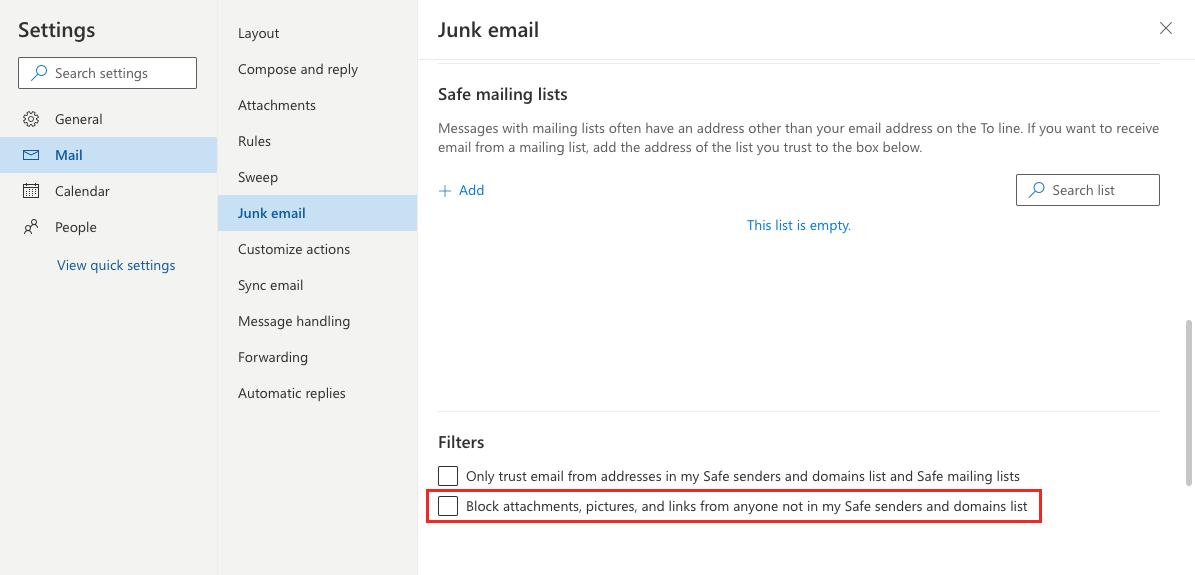
- For extra assurance, under Filters you can also unselect the option to ‘Block attachments, picture, and links from anyone not in my Safe senders and domains list’.
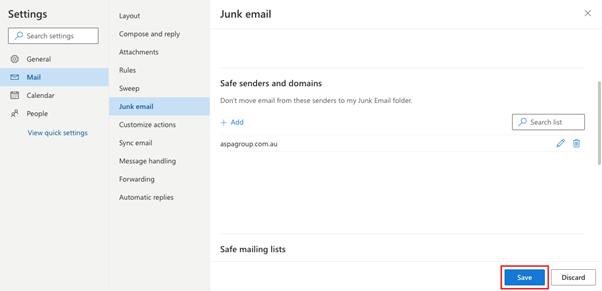
- Click Save at the bottom of the page.
Questions
If you have any questions please contact [email protected] and our staff members will be happy to help.